Obstacles & Traffic
PGTG populates tracks with localized obstacles that mimic diverse road conditions and with traffic. The behavior of other cars is governed by configurable driver profiles, whil the agent's dynamics is subject to additional traffic rules. Every part is optional and independently tunable.
Obstacles
Obstacles occupy part of a tile and trigger probabilistically when the agent drives over them, so the same track can play out differently each episode.
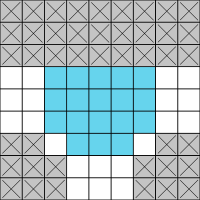
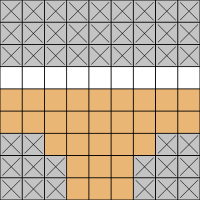
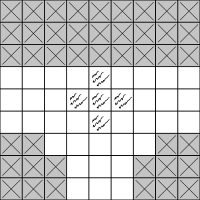
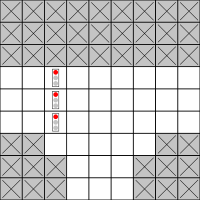
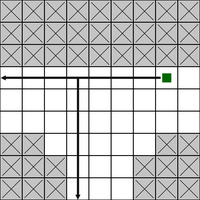
Built-in obstacles
| Obstacle | Default trigger probability | Effect |
|---|---|---|
| Ice | 0.1 |
The agent moves in a random direction instead of the intended one. |
| Sand | 0.2 |
The agent is slowed and its velocity is reset to 0. |
| Broken road | 0.1 |
The agent gets a flat tire: velocity is set to 0 after every step for the rest of the episode. |
| Traffic lights | — | Cycle green → yellow → red → green. Passing on red incurs a penalty (without ending the episode). |
Each obstacle's trigger probability lives on the obstacle object itself (its act_probability).
To change it, pass a custom obstacles= list that re-instantiates the built-in with a different probability, e.g.
obstacles=[ice_behavior(act_probability=0.3), ...] (see Custom Obstacles).
The traffic-light phase schedule (traffic_light_phases_duration, default (10, 3, 10) for
green/yellow/red) and the red-light penalty (traffic_light_penalty, on the reward
context) are also configurable. See the
Configuration Reference.
Bring your own obstacle
Obstacles are a plug-in mechanism. You can define new obstacles with custom trigger probability, effect, observation plane, and generation weight. See Custom Obstacles to learn how.
How obstacles appear on a map
- On random maps, obstacles are placed by the generator with probability
obstacle_probability, and the type is sampled fromobs_feature_weights(whose defaults come from each obstacle's registeredobstacle_weight). - On fixed maps, obstacles are authored per tile via
obstacle_type/obstacle_mask(see Maps).
Observation follows generation
You don't have to keep the observation in sync by hand.
An obstacle that can appear in an environment, i.e., is generable on a random map or present
on a fixed map, is automatically observed. Conversely, a registered obstacle that cannot appear
here (weight 0, or absent from the fixed map) is left out of the observation, so it
never pollutes it.
You can override this per obstacle with observe=True (always show) or observe=False (never show),
which allows to load policies trained on maps with different obstacle parameters.
See Observation follows generation.
To retune how often obstacles appear across every environment at once, you can use
pgtg.set_obstacle_weight({"ice": 0.2, "broken road": 0.0}). Note that this changes the
global state.
Traffic
Set traffic_density (a fraction in [0, 1]) to populate the map with cars. It is the
share of eligible lane cells that are occupied.
Traffic behaves as follows:
- Cars stay in the right lane and move one cell per step.
- At a crossing or T-crossing a car randomly decides whether to turn.
- Cars can leave the map at a border or a dead end; whenever one does, a new car spawns at a border or dead end, so the total number of cars stays constant.
- Colliding with a car ends the episode with
termination_reason == "traffic collision"(unlessignore_traffic_collisions=True). - Cars never spawn within
car_spawn_exclusion_radius(Chebyshev distance, default1, i.e. the agent's cell plus its 8 neighbours) of the agent, so a car can never spawn on top of the agent which would cause an unavoidable crash.traffic_densitystill counts against the full set of lane cells, so at high densities the block around the agent simply stays clear. Set the radius to0to reserve only the agent's own cell, or< 0to disable the exclusion. Since cars move first, an exclusion radius of0can still cause unavoidable collisions.
Unobservable traffic
If traffic_density > 0 but TRAFFIC is not in the observation, cars are invisible to
the agent yet can still end the episode on collision.
Make sure to include all generated features in the observation to enable learning to avoid them.
Driver profiles
Each car is assigned a driver profile that governs how it reacts to yellow/red lights,
following distance, patience, speed, and reaction delay. PGTG ships five profiles by default:
conservative, normal, aggressive, elderly, and reckless.
They are sampled according to a weighted distribution that can be adapted by the user.
See Driver Profiles.
Traffic rules
The agent's own interaction with traffic is mediated by a traffic-rule engine. Rules fire based on the tile type, the agent's speed and heading, and the surrounding traffic, and can e.g. force the agent to brake at a busy intersection. The default rules implement intersection braking; you can activate a subset of them, add your own, or disable them entirely. See Custom Traffic Rules.